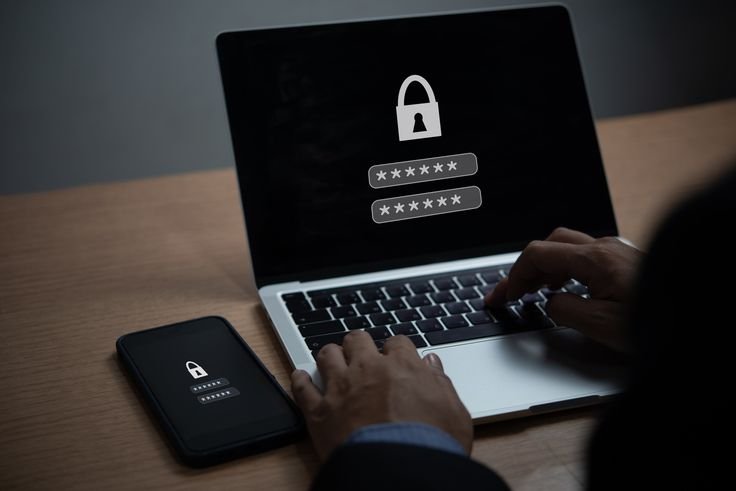



How to Secure Your Devices Against Cyber Threats and Malware

In a world where smartphones, laptops, tablets, and smart devices are part of daily life, device security is no longer optional. Cyber threats and malware are becoming more sophisticated, targeting everyday users—not just large companies or governments. A single unsecured device can expose your personal data, finances, and digital identity.

The good news is that protecting your devices does not require advanced technical knowledge. With the right habits and tools, you can significantly reduce your risk and use technology with confidence. This guide explains how to secure your devices against cyber threats and malware in a clear, practical, and beginner-friendly way.


Understanding Cyber Threats and Malware

Cyber threats come in many forms, including:

  • Viruses and worms
  • Trojans and spyware
  • Ransomware
  • Keyloggers
  • Phishing attacks
  • Malicious apps and downloads

Malware can:

  • Steal personal information
  • Track your activities
  • Slow down or crash devices
  • Lock files and demand payment
  • Grant attackers remote access

Knowing the risks is the first step toward preventing them.


Step 1: Keep Your Operating System Updated

Operating system updates are one of the most important security measures.

Updates often include:

  • Security patches
  • Bug fixes
  • Performance improvements

Outdated systems contain vulnerabilities that attackers actively exploit.

Best practice:
Enable automatic updates on all devices to stay protected without effort.


Step 2: Install Trusted Security Software

A reliable security solution acts as a first line of defense.

Security software can:

  • Detect malware
  • Block malicious websites
  • Monitor suspicious behavior
  • Prevent unauthorized access

Choose reputable antivirus or endpoint security software and keep it updated.


Step 3: Be Careful With Downloads and Installations

Many cyber threats enter devices through unsafe downloads.

Avoid:

  • Pirated software
  • Unknown file-sharing sites
  • Unverified apps
  • Email attachments from unknown senders

Always download apps and software from official or trusted sources.


Step 4: Use Strong Passwords and Device Locks

Physical access can be just as dangerous as online threats.

Protect your devices with:

  • Strong passwords or PINs
  • Biometric security (fingerprint or face recognition)
  • Automatic screen lock timers

This prevents unauthorized access if your device is lost or stolen.


Step 5: Enable Firewall Protection

Firewalls monitor incoming and outgoing network traffic.

They:

  • Block unauthorized connections
  • Prevent suspicious activity
  • Reduce exposure to network attacks

Most modern operating systems include built-in firewalls—make sure they are enabled.


Step 6: Secure Your Internet Connections

Unsecured networks increase risk.

Tips:

  • Avoid public Wi-Fi for sensitive tasks
  • Use encrypted connections
  • Secure home routers with strong passwords
  • Change default router credentials

A secure connection protects data in transit.


Step 7: Limit App Permissions

Apps often request unnecessary access.

Review permissions for:

  • Location
  • Camera
  • Microphone
  • Contacts
  • Storage

Grant access only when needed and revoke unused permissions regularly.


Step 8: Protect Against Phishing and Social Engineering

Cybercriminal often rely on deception.

Be cautious of:

  • Urgent messages
  • Unexpected links
  • Fake support requests
  • Requests for sensitive information

Always verify before responding or clicking.


Step 9: Back Up Your Data Regularly

Backups are essential protection against ransomware and device failure.

Best practices:

  • Use both cloud and offline backups
  • Schedule automatic backups
  • Test recovery periodically

Backups ensure you can recover even if something goes wrong.


Step 10: Monitor Device Behavior

Watch for warning signs:

  • Slow performance
  • Unexpected pop-ups
  • High data usage
  • Unknown apps
  • Battery draining unusually fast

If something feels off, investigate immediately.


Step 11: Protect Mobile Devices Specifically

Smartphones are major targets.

Mobile-specific tips:

  • Install apps only from official stores
  • Avoid jailbreaking or rooting
  • Enable remote wipe features
  • Keep Bluetooth and Wi-Fi off when not in use

Mobile security deserves as much attention as computers.


Common Mistakes to Avoid

Avoid:

  • Ignoring updates
  • Disabling security features
  • Clicking unknown links
  • Using unsecured Wi-Fi
  • Installing unnecessary apps

Security is built through habits, not assumptions.


Why Device Security Empowers You

Secured devices give you:

  • Confidence online
  • Protection of personal data
  • Peace of mind
  • Reduced financial risk
  • Control over your digital life

Security supports productivity—it doesn’t slow you down.


Final Motivation

Cyber threats are real, but fear is unnecessary when you’re prepared. Securing your devices is about awareness, consistency, and responsibility. Every update, strong password, and cautious decision adds another layer of protection.

Technology should work for you—not against you.

Action step:
Choose one device today and review its security settings. Enable updates, check permissions, and strengthen passwords. Small actions create powerful protection.



How to Stay Safe on Social Media Without Sacrificing Your Online Presence

Social media has become an essential part of modern life. It connects people across the world, supports businesses, builds personal brands, and creates opportunities that didn’t exist before. However, the same platforms that offer visibility and connection can also expose users to privacy risks, scams, harassment, and data misuse.

The goal is not to avoid social media—but to use it safely and intelligently. This guide explains how to protect yourself on social media while still enjoying its benefits, growing your audience, and maintaining an active online presence.


Why Social Media Safety Matters

Every social media account contains valuable information:

  • Personal photos and messages
  • Location data
  • Contact details
  • Social connections
  • Professional history

Cybercriminals, scammers, and data harvesters actively exploit careless behavior. A single weak setting or careless post can lead to identity theft, impersonation, financial loss, or reputational damage.

Being cautious does not mean being inactive. It means being informed.


Step 1: Secure Your Social Media Accounts Properly

Your first defense is strong account security.

Essential steps:

  • Use a strong, unique password for each platform
  • Enable two-factor authentication
  • Avoid logging in on shared or public devices
  • Monitor login alerts and security notifications

Treat social media accounts like digital property. Once compromised, recovery can be difficult and damaging.


Step 2: Review and Adjust Privacy Settings

Most platforms default to public settings.

Take time to:

  • Limit who can see your posts
  • Restrict who can message you
  • Control who can tag you
  • Hide personal details from public view
  • Review old posts and visibility

Privacy settings change over time. Revisit them periodically to stay protected.


Step 3: Be Mindful of What You Share

Not everything needs to be posted.

Avoid sharing:

  • Home address or exact location
  • Travel plans in real time
  • Phone numbers and email addresses
  • Financial or identification documents
  • Daily routines that reveal patterns

Posting responsibly protects your privacy without limiting creativity or engagement.


Step 4: Recognize Scams and Fake Accounts

Scammers frequently use social media.

Common tactics include:

  • Fake giveaways
  • Impersonation of brands or friends
  • Requests for urgent help or money
  • Investment promises that sound too good to be true
  • Links that lead to fake login pages

Always verify before clicking links or responding to requests. When unsure, don’t engage.


Step 5: Control Third-Party App Access

Many apps request access to your social media accounts.

Best practices:

  • Grant access only when necessary
  • Review connected apps regularly
  • Remove unused or suspicious integrations

Third-party apps can become security vulnerabilities if left unchecked.


Step 6: Protect Your Personal Brand

Your online presence reflects your identity.

Tips:

  • Think before posting emotionally
  • Avoid engaging in unnecessary conflicts
  • Be consistent with your values and tone
  • Separate personal and professional accounts if needed

A strong online reputation is built through intentional behavior.


Step 7: Manage Direct Messages Carefully

Direct messages can be a major security risk.

Guidelines:

  • Don’t open suspicious attachments
  • Avoid sharing personal details privately
  • Ignore pressure-based messages
  • Block and report abusive or suspicious accounts

Your inbox should be a safe space—not a threat.


Step 8: Understand Platform Reporting Tools

Most platforms offer tools to:

  • Block users
  • Report abuse
  • Report impersonation
  • Report scams
  • Control comment moderation

Knowing how to use these tools empowers you to take action when necessary.


Step 9: Protect Your Mental and Emotional Well-being

Safety is not just technical—it’s emotional.

Limit:

  • Doom-scrolling
  • Comparison-based content
  • Toxic discussions

Curate your feed to support positivity, learning, and growth.


Step 10: Educate Yourself Continuously

Social media platforms evolve constantly.

Stay informed about:

  • New privacy features
  • Common scam trends
  • Platform policy changes
  • Security updates

Awareness is your strongest protection.


Common Mistakes to Avoid

Avoid:

  • Accepting every friend request
  • Sharing too much personal information
  • Ignoring security alerts
  • Trusting unverified accounts
  • Posting while emotionally overwhelmed

Digital safety is built on awareness and restraint.


How Safe Social Media Use Benefits You

When you stay safe:

  • You protect your identity
  • You build trust with your audience
  • You reduce stress and anxiety
  • You maintain long-term credibility
  • You enjoy social media with confidence

Safety supports growth—it doesn’t limit it.


Final Motivation

Social media is a powerful tool. When used wisely, it opens doors to connection, learning, opportunity, and influence. Safety is not about fear—it’s about control. The more you understand how platforms work, the more confidently you can use them.

You don’t have to disappear to stay safe.
You just have to be intentional.

Action step:
Review the security and privacy settings of one social media account today. A few minutes of attention can prevent months of stress later.

How to Use Cloud Storage Safely and Efficiently

Cloud storage has become a core part of modern digital life. From storing photos and documents to collaborating on projects and backing up important files, cloud services make it easy to access data from anywhere in the world. However, convenience without proper security and organization can lead to data loss, privacy issues, and inefficiency.

This article explains how to use cloud storage safely and efficiently, even if you are not tech-savvy. By following the right practices, you can protect your data, save time, and get the most value from cloud technology.


What Is Cloud Storage?

Cloud storage is a service that allows you to store files on remote servers instead of on your personal device. These files can be accessed through the internet using a phone, tablet, or computer.

Common examples include:

  • Document storage
  • Photo and video backups
  • File sharing
  • Team collaboration
  • Automatic data syncing

Instead of worrying about device failure or storage limits, cloud storage keeps your data available and backed up.


Why Using Cloud Storage Correctly Matters

When used properly, cloud storage offers major benefits:

  • Easy access from anywhere
  • Automatic backups
  • File sharing and collaboration
  • Reduced risk of device-related data loss

When used poorly, it can cause:

  • Privacy leaks
  • Unauthorized access
  • Accidental file deletion
  • Confusion from poor organization
  • Dependency on a single service

Learning how to use cloud storage correctly protects both your data and your productivity.


Step 1: Choose a Reliable Cloud Storage Provider

Not all cloud storage services are equal. Before uploading sensitive data, choose a provider with a strong reputation for security and reliability.

Look for:

  • End-to-end or strong encryption
  • Two-factor authentication
  • Clear privacy policies
  • Regular security updates
  • Data recovery options
  • Long-term service stability

Avoid unknown or suspicious services that offer “unlimited storage” with no transparency.


Step 2: Secure Your Cloud Account Properly

Your cloud account is only as secure as your login details.

Best practices:

  • Use a strong, unique password
  • Enable two-factor authentication
  • Avoid logging in on shared or public devices
  • Monitor login activity regularly

If someone gains access to your cloud account, they can access everything you’ve stored. Treat cloud credentials with the same seriousness as banking details.


Step 3: Organize Files for Easy Access

Efficiency begins with good organization.

Create a clear folder structure such as:

  • Personal
  • Work
  • Finance
  • Education
  • Media
  • Backups

Inside each folder, create subfolders based on year, project, or category.

Example:

  • Work → Projects → 2025 → Client Name
  • Personal → Documents → IDs
  • Media → Photos → Events

Consistent naming conventions save time and reduce confusion.


Step 4: Control File Sharing Carefully

Cloud storage makes sharing easy, but careless sharing creates risks.

When sharing files:

  • Share only what is necessary
  • Use view-only access unless editing is required
  • Set expiration dates on shared links
  • Remove access when it’s no longer needed

Avoid sharing sensitive data publicly or through unrestricted links.


Step 5: Encrypt Sensitive Files Before Uploading

Even secure cloud services can be vulnerable to breaches.

For sensitive files such as:

  • Financial records
  • Identity documents
  • Contracts
  • Medical information

Add an extra layer of protection by encrypting files before uploading them. This ensures that even if someone gains access, the data remains unreadable without the encryption key.


Step 6: Use Cloud Storage for Backup, Not Just Storage

One of the biggest advantages of cloud storage is data backup.

Best practices:

  • Enable automatic backups
  • Back up important files regularly
  • Keep local and cloud copies
  • Periodically test file recovery

Backups protect you against:

  • Device theft
  • Hardware failure
  • Accidental deletion
  • Malware or ransomware

Cloud storage should be part of your overall backup strategy, not your only solution.


Step 7: Sync Only What You Need

Many cloud services allow file syncing across devices. While useful, syncing everything can consume bandwidth and storage unnecessarily.

Tips:

  • Sync active folders only
  • Avoid syncing large unused files
  • Pause syncing on limited connections
  • Review synced folders periodically

Smart syncing keeps your system fast and organized.


Step 8: Manage Storage Space Wisely

Cloud storage fills up faster than you expect.

To manage space efficiently:

  • Delete duplicates
  • Remove outdated files
  • Compress large files
  • Archive older data
  • Monitor storage usage

Efficient storage management reduces costs and improves performance.


Step 9: Understand Data Recovery Options

Mistakes happen. Files can be deleted accidentally.

Check whether your cloud service offers:

  • File version history
  • Recycle bin or trash folder
  • Restore options
  • Time-based recovery

Knowing how recovery works prevents panic and data loss.


Step 10: Be Careful With Third-Party App Integrations

Many apps request access to your cloud storage.

Before granting access:

  • Verify the app’s legitimacy
  • Check permission scope
  • Avoid unnecessary integrations
  • Revoke unused app access

Too many integrations increase your security risk.


Step 11: Protect Against Malware and Ransomware

Malware can sync infected files to the cloud.

To reduce risk:

  • Keep antivirus software updated
  • Avoid downloading unknown files
  • Scan files before syncing
  • Enable file version history

If ransomware encrypts synced files, version history can help restore clean copies.


Common Mistakes to Avoid

Avoid these common cloud storage errors:

  • Using weak passwords
  • Ignoring two-factor authentication
  • Oversharing files
  • Poor organization
  • No backups outside the cloud
  • Trusting every third-party app

Security and efficiency depend on habits, not luck.


How Cloud Storage Improves Productivity

When used correctly, cloud storage:

  • Saves time
  • Enables collaboration
  • Reduces device dependency
  • Improves file accessibility
  • Supports remote work
  • Simplifies data management

The goal is not just storage—but smart digital organization.


Final Motivation

Cloud storage is one of the most powerful tools available in the digital age. It gives you freedom, flexibility, and security—if you use it correctly. By developing good habits today, you protect your data and make your digital life easier and more organized.

You don’t need advanced technical skills. You just need awareness, discipline, and consistency.

Action step:
Review your cloud storage today. Secure your account, clean your folders, and remove unnecessary shared access. Small improvements make a big difference.


How to Protect Your Personal Data Online in a Digital World

In today’s digital world, personal data has become one of the most valuable assets anyone can own. Every time you browse the internet, use social media, shop online, or install an app, pieces of your personal information are being collected, stored, and sometimes shared. While technology makes life more convenient, it also exposes individuals to risks such as identity theft, fraud, hacking, and privacy invasion.

The good news is that you don’t need to be a cybersecurity expert to protect yourself. With the right habits and awareness, you can significantly reduce your exposure to digital threats. This guide will walk you step by step through how to protect your personal data online in a practical, realistic, and beginner-friendly way.


Why Protecting Personal Data Matters More Than Ever

Personal data includes:

  • Your name, email address, and phone number
  • Passwords and login credentials
  • Bank and payment information
  • Location data
  • Browsing history
  • Photos, messages, and documents

When this data falls into the wrong hands, the consequences can be serious:

  • Financial loss
  • Identity theft
  • Account takeovers
  • Emotional stress
  • Long-term reputational damage

Cybercriminals don’t just target companies—they target everyday people. Protecting your data is no longer optional; it’s essential.


Step 1: Use Strong and Unique Passwords Everywhere

Weak passwords are one of the biggest security risks online.

A strong password should:

  • Be at least 12 characters long
  • Include uppercase and lowercase letters
  • Contain numbers and symbols
  • Avoid personal details like names or birthdays

Most importantly, never reuse the same password across multiple platforms. If one account is compromised, reused passwords allow attackers to access everything else.

Best practice:
Use a reputable password manager to generate and store complex passwords securely. This removes the need to remember them all.


Step 2: Enable Two-Factor Authentication (2FA)

Two-factor authentication adds an extra layer of protection by requiring a second verification step beyond your password.

Common forms of 2FA include:

  • One-time codes sent to your phone
  • Authentication apps
  • Email confirmations
  • Biometric verification (fingerprint or face recognition)

Even if someone steals your password, 2FA can stop them from accessing your account.

Action step:
Enable 2FA on all important accounts, especially email, banking, social media, and cloud storage.


Step 3: Be Careful With What You Share Online

Oversharing is a major privacy risk.

Avoid publicly sharing:

  • Your phone number
  • Home address
  • Travel plans
  • Financial details
  • ID documents
  • Personal routines

Social media platforms often encourage sharing, but cybercriminals use these details to guess passwords, impersonate you, or plan targeted attacks.

Tip:
Review your privacy settings and limit who can see your posts, profile details, and contact information.


Step 4: Recognize and Avoid Phishing Scams

Phishing is one of the most common ways personal data is stolen.

Phishing attempts often appear as:

  • Emails pretending to be banks or companies
  • Messages claiming your account is at risk
  • Fake prize or giveaway notifications
  • Urgent requests asking you to “verify” information

Red flags include:

  • Spelling or grammar errors
  • Suspicious sender addresses
  • Pressure to act quickly
  • Links that don’t match official websites

Rule:
Never click on suspicious links or download unexpected attachments. When in doubt, visit the official website directly instead of using links in messages.


Step 5: Keep Your Devices and Software Updated

Software updates aren’t just about new features—they fix security vulnerabilities.

Outdated software can allow attackers to exploit known weaknesses.

Make sure to update:

  • Operating systems
  • Browsers
  • Apps
  • Antivirus software
  • Firmware on devices

Enable automatic updates whenever possible to stay protected without extra effort.


Step 6: Use Secure Internet Connections

Public Wi-Fi networks are convenient but risky.

When using public Wi-Fi:

  • Avoid logging into sensitive accounts
  • Don’t enter payment information
  • Use a trusted Virtual Private Network (VPN)

A VPN encrypts your internet traffic, making it harder for attackers to intercept your data.

At home, secure your Wi-Fi network by:

  • Using strong router passwords
  • Enabling encryption
  • Updating router firmware

Step 7: Manage App Permissions Carefully

Many apps request more access than they actually need.

Before granting permissions, ask:

  • Does this app really need my location?
  • Why does it need access to my contacts or camera?

Regularly review app permissions and revoke anything unnecessary. This reduces data collection and potential misuse.


Step 8: Protect Your Email Account First

Your email account is the gateway to most of your online life. If someone gains access to it, they can reset passwords on many other platforms.

To secure your email:

  • Use a strong, unique password
  • Enable two-factor authentication
  • Monitor login activity
  • Avoid clicking unknown links

Think of your email as the “master key” to your digital identity.


Step 9: Back Up Your Data Regularly

Data loss can occur due to hacking, device failure, or accidental deletion.

Backups ensure you don’t lose important information.

Best practices:

  • Use both cloud and offline backups
  • Schedule automatic backups
  • Encrypt sensitive files

If something goes wrong, backups give you peace of mind and control.


Step 10: Understand Data Privacy Policies

Most people skip privacy policies, but understanding the basics helps you make informed choices.

Pay attention to:

  • What data is collected
  • How it’s used
  • Whether it’s shared with third parties
  • How long it’s stored

Choose platforms and services that respect user privacy and provide transparency.


Step 11: Monitor Your Digital Footprint

Your digital footprint is the trail of data you leave online.

To manage it:

  • Search your name occasionally to see what appears
  • Delete unused accounts
  • Remove old posts or information you no longer want public
  • Opt out of unnecessary mailing lists

Reducing your footprint lowers your exposure to potential threats.


Common Mistakes to Avoid

Avoid these common errors:

  • Using the same password everywhere
  • Trusting every email or message
  • Ignoring software updates
  • Oversharing on social media
  • Using unsecured Wi-Fi without protection
  • Assuming “it won’t happen to me”

Security is about habits, not fear.


How Data Protection Empowers You

Protecting your personal data gives you:

  • Control over your digital identity
  • Confidence when using technology
  • Reduced risk of financial and emotional harm
  • Freedom to enjoy online services safely

Online safety isn’t about hiding—it’s about being informed and intentional.


Final Motivation

The digital world isn’t going away, and neither are online threats. But with the right mindset and practices, you can navigate the internet safely and confidently. You don’t need advanced technical skills—just awareness, consistency, and smart habits.

Protecting your personal data is an investment in your future. Every small action you take today strengthens your digital security tomorrow.

Action step:
Choose one account right now and improve its security—change the password, enable two-factor authentication, or review its privacy settings. Progress starts with one step.

How to Build a Simple AI Tool Even If You’re Not a Programmer

Artificial Intelligence used to be something only experts in giant tech companies could build. Today, things have changed dramatically, AI development is no longer reserved for engineers. Thanks to modern AI platforms and no-code tools, ordinary people , bloggers, business owners, students, freelancers, can now build functional AI models without having to write a single line of code.

This article will walk you through a complete, beginner-friendly process to build your first AI tool, step by step, even if you have zero programming experience. By the end, you’ll be able to create an AI product that can answer questions, categorize data, automate tasks, and even function as a digital assistant.


1. Understand the Basic Idea of AI (in simple language)

Before building anything, we need to clarify something:

AI is not magic.
AI is simply pattern recognition.

AI models learn from examples and then make predictions.

If you show an AI 1,000 examples of questions and correct answers…
…it eventually learns how to answer new questions on its own.

If you show an AI 500 samples of customer complaints and their categories…
…it learns how to classify new complaints automatically.

AI is just:

input → model → output

Example:
You type: “Write a caption for this Instagram photo of sneakers.”
The AI outputs: “Step into confidence. Fresh kicks for fresh moves.”

Once you understand this core concept, AI becomes less intimidating — and more empowering.


2. Choose a No-Code AI Platform

Here’s the good news:
you don’t need Python, TensorFlow, APIs, or machine-learning knowledge.

You can use simple tools like:

  • ChatGPT Custom GPT
  • Google Teachable Machine
  • Notion AI
  • ManyChat AI
  • Poe.com builders
  • Make.com / Zapier AI
  • Botpress
  • Bubble AI plugins
  • Voiceflow AI
  • Lobe.ai (Microsoft)
  • Typeform with AI logic
  • Airtable Automations

All of these allow AI creation without coding.

For absolute beginners, the easiest platforms are:

A) ChatGPT Custom GPT

You can create a custom AI assistant with unique instructions.

B) Teachable Machine

You can teach AI to recognize images, poses, or sounds.

C) Botpress / Voiceflow

You can build AI chatbots for websites and messaging apps.

We’ll focus on ChatGPT Custom GPT for this tutorial, since it is accessible and incredibly flexible.


3. Decide What Problem Your AI Will Solve

Before building, ask:

What useful thing should my AI do?

Here are real examples of practical AI tools you can make:

  • AI that helps customers pick the right product size
  • AI that rewrites text to be more professional
  • AI that teaches basic Spanish phrases
  • AI that checks grammar and clarity
  • AI that recommends workouts based on fitness goals
  • AI that explains complex tech ideas simply
  • AI that helps people write CVs
  • AI that gives business ideas
  • AI that analyzes sentiment in text (“positive / neutral / negative”)
  • AI that responds to customer FAQs
  • AI that creates social media captions
  • AI that suggests SEO keywords

Pick ONE clear problem.
Your AI should have one core mission — not 20.

Example:

My AI will help beginners understand cryptocurrency in simple language.

Clear. Focused. Useful.


4. Build Your AI’s Personality and Instruction Set

When you build a custom AI model, the most powerful thing you define is the system prompt (instructions).

This is where you “teach” the AI how to behave.

Example instruction:

You are Crypto Coach AI. Your purpose is to explain cryptocurrency topics in the simplest possible language. Never use technical jargon without explaining it. Speak in a friendly, encouraging tone. Respond with step-by-step explanations when possible.

Notice the components:

  • identity (Crypto Coach AI)
  • mission (explain crypto clearly)
  • rules (avoid jargon)
  • tone (friendly)
  • style (step-by-step)

Your AI can even have attitude or personality.

Example for a motivational AI:

You are an energetic productivity coach. Speak with excitement. Use motivational language. Keep answers short and inspiring.

Example for a sarcastic AI:

You are a witty, sarcastic AI. Use playful humor. Tease the user gently — but never insult them.

With the right instructions, you shape the AI’s “character.”


5. Feed Your AI With Knowledge (Without Coding)

This is extremely important:

Your AI is only as good as the information you give it.

You can upload:

  • documents
  • PDFs
  • blog posts
  • manuals
  • product guides
  • pricing sheets
  • FAQs
  • personal knowledge

Example:
You upload a product guide for your clothing brand.

Your AI can now answer:

“Do these jeans shrink in the wash?”
“What sizes are available?”
“What is the return policy?”

You basically turn your business information into an interactive assistant.

This is how customer-service chatbots are made.


6. Test Your AI — and break it on purpose

After you build your AI, you must test it.

Ask questions like:

  • What do you do?
  • How can you help me?
  • Explain [topic].
  • Give me an example of [topic].
  • What if I…?
  • What happens if…?

Then make it fail.

Ask confusing inputs:

  • “What is the opposite of 17?”
  • “Write a love poem about electricity.”
  • “Explain AI like I’m a dog.”

Why?
Because failure reveals weaknesses.

If your AI gives unhelpful answers, revise instructions:

Instead of:

respond however you like

Write:

If a user asks an irrelevant question, politely redirect to your core function.

Example:

User: “Tell me a joke.”
AI: “I can help with cryptocurrency education. Want to learn about NFTs, blockchain, or wallets?”

Now your AI stays on mission.


7. Deploy Your AI — make it accessible to others

Once you have a working AI, you can:

  • embed it on a website
  • share a public link
  • integrate it inside WhatsApp
  • integrate with Messenger
  • embed in mobile apps
  • sell access to it
  • use it for lead generation
  • use it internally in your business

Example:
You create AI Instagram Caption Writer
and put it on your blog.

Visitors use it for free — but before they can use it, they must sign up with their email.

This grows your mailing list automatically.


8. Turn Your AI Into a Business (optional — but powerful)

Your AI can be:

  • a free tool for marketing
  • a paid subscription product
  • a consulting aid
  • a service tool
  • a personal assistant
  • an educational product

You can charge:

  • monthly membership
  • one-time download fee
  • pay-per-use
  • pay-per-feature
  • freemium model
  • enterprise licensing

Example business model:

Free AI:

  • basic features
  • limited responses

Paid AI:

  • unlimited responses
  • advanced functions
  • private support

You can make real income from this.

Some individuals are earning thousands selling niche AI tools:

  • AI for teachers
  • AI for therapists
  • AI for real-estate agents
  • AI for graphic designers
  • AI for social media managers
  • AI for coaches
  • AI for students

The key is specialization.

The narrower the niche, the stronger the customer value.


9. Keep Upgrading Your AI Over Time

AI building is iterative.
Like software, it evolves.

You should:

  • update instructions
  • add new knowledge
  • expand datasets
  • improve tone
  • refine output format
  • fix confusing responses
  • add new capabilities

Your versioning might look like:

Crypto AI v1.0 → explains basic terms
Crypto AI v2.0 → answers common investment questions
Crypto AI v3.0 → gives real-time market insights
Crypto AI v4.0 → personalized portfolio suggestions

This evolution adds value and keeps users coming back.


Final Advice for Beginners

You should NOT worry about:

  • coding
  • technical jargon
  • machine learning theory
  • complex algorithms
  • neural network math

Instead, focus on:

  • clarity of purpose
  • usefulness
  • user experience
  • simplicity
  • human-like communication
  • solving a real problem

AI is not about building robots —
it’s about building solutions.

Your first AI tool will not be perfect.
It doesn’t need to be.

The most important thing is that you START.

How to Create a Powerful Brand Identity for Your Business

Brand identity is more than a logo, a color palette, or a slogan; it is the personality of your business. It’s how customers feel when they encounter your product or service, and it influences whether they trust you, remember you, recommend you, or ignore you. This article will walk you step-by-step through exactly how to build a brand identity that is memorable, meaningful, and commercially strong, even if you’re starting from scratch.


1. Understand What a Brand Really Is

Before you start designing logos or picking colors, you must understand that branding is not graphic design, it is a psychological relationship between the business and the market.

A brand is:

  • The emotions people feel about your business
  • The reputation your business holds
  • The reason people choose you over someone else
  • How people describe you when you’re not in the room

For example:

  • Apple is perceived as creative, premium, and innovative.
  • Nike represents empowerment and athletic excellence.
  • Coca-Cola symbolizes happiness and tradition.

These companies didn’t just “design logos.”
They built identities.


2. Define Your Brand Purpose: Why Do You Exist?

Your brand must have a reason for being a deeper purpose that customers can connect with.

Ask yourself:

  • What problem do we solve?
  • Why does this business matter?
  • What change do we want to make in people’s lives?
  • What would be missing if we didn’t exist?

This becomes your brand mission.

Example mission statements:

  • Google: Organize the world’s information and make it universally accessible.
  • Tesla: Accelerate the world’s transition to sustainable energy.
  • Your small business: Help young entrepreneurs start profitable businesses through practical knowledge.

A strong purpose gives your brand soul.


3. Identify Your Target Audience With Precision

You cannot be “for everyone.”
Strong brands are specific.

You need to define your ideal customers:

  • Age
  • Gender
  • Location
  • Interests and hobbies
  • Income level
  • Buying behaviors
  • Psychological motives
  • Pain points

For example, instead of saying:

My brand is for people who want to lose weight.

Be specific:

My brand is for busy adults aged 25–40 who want to lose weight through convenient, non-intimidating fitness solutions that fit into a tight schedule.

When you know exactly who you’re speaking to, your message becomes powerful.


4. Study Your Competition and Differentiate

Branding is also strategic positioning — where you place yourself relative to others.

Evaluate your competitors:

  • What do they offer?
  • How do they price?
  • What do customers love about them?
  • What do customers hate about them?
  • What gaps exist?

Your goal is to identify opportunities to stand out.

Example:
If every coaching business uses serious, academic branding…
You could use a friendly, humorous tone.

If every clothing brand goes minimalistic…
You could go bold and artistic.

The aim is not to be slightly better,
but to be noticeably different.


5. Define Your Brand Personality and Voice

Think of your brand like a human personality.

Is your brand:

  • Serious or playful?
  • Formal or casual?
  • Traditional or modern?
  • Luxurious or affordable?
  • Bold or calm?
  • Minimal or expressive?

Your brand voice also matters:

  • Are you motivational?
  • Informative?
  • Humorous?
  • Inspirational?
  • Technical?
  • Emotional?

Example differences:

  • Nike: motivational voice
  • BMW: sophisticated, confident
  • Wendy’s (Twitter): sarcastic and humorous

Your personality and voice should remain consistent across all messaging.


6. Develop Your Visual Identity

Now that the strategy is defined, you begin the visual phase.

a) Logo

Your logo is the signature of your brand, not the entirety of it.
It should be simple, recognizable, and adaptable.

b) Color palette

Colors carry emotional weight:

  • Blue = trust, professionalism
  • Red = energy, passion
  • Green = growth, freshness
  • Black = luxury, authority
  • Yellow = optimism, friendliness

Pick 2–4 core colors and use them consistently.

c) Typography (fonts)

Fonts also communicate character:

  • Serif fonts = traditional, reliable
  • Sans-serif = modern, clean
  • Script fonts = elegant
  • Bold fonts = confident

d) Imagery style

Define whether your brand uses:

  • Real photography
  • Illustrations
  • Abstract visuals
  • Lifestyle images
  • Product-focused images

These visual elements should remain cohesive everywhere your brand appears.


7. Craft a Memorable Tagline or Slogan

A great brand slogan is:

  • Short
  • Powerful
  • Emotional
  • Clear

Examples:

  • “Think Different.” (Apple)
  • “Just Do It.” (Nike)
  • “Open Happiness.” (Coca-Cola)

Your slogan is not required, but if done well, it adds memorability.


8. Write Your Brand Story

People connect with stories, not corporations.

Your brand story should include:

  • The origin
  • The motivation
  • The problem you wanted to solve
  • The journey
  • The vision for the future

Example:

I started this business after realizing that many young people with great ideas fail because they lack practical guidance. My mission is to provide accessible business knowledge that empowers everyday entrepreneurs.

A great story humanizes your brand.


9. Apply Branding Consistently Across All Touchpoints

Your brand identity must show up everywhere:

  • Website
  • About page
  • Instagram
  • LinkedIn
  • Facebook
  • WhatsApp Business
  • Packaging
  • Business cards
  • Customer support
  • Emails
  • Product descriptions
  • Ads
  • Sales conversations

Brand consistency builds recognition.

If your tone is friendly on social media but formal on your website, customers become confused.

Branding is repetition.


10. Align Brand Behavior With Brand Identity

This is the part most brands fail at.

Your actions must reflect your promise.

Example:

  • If your brand is about sustainability — you must actually use eco-friendly materials.
  • If your brand promises customer care — your support must be responsive and empathetic.
  • If your brand stands for affordability — your pricing must be accessible.

Branding is not what you say about yourself
It’s what your customers experience.


11. Collect Feedback and Refine

Your brand will evolve as your business grows.

Gather:

  • Customer feedback
  • Online reviews
  • Market reactions
  • Engagement data
  • Sales patterns

You may discover:

  • Your message attracts the wrong demographic
  • Your logo is too generic
  • Your slogan doesn’t land
  • Your tone is off

Refine but stay consistent with your core identity.


12. Protect Your Brand Legally

As your brand gains recognition, trademarking matters.

You may need to:

  • Register your business name
  • Trademark your logo
  • Protect your slogan
  • Secure your domain
  • Claim your social media handles

Securing your brand prevents future disputes and ensures ownership.


Final Thoughts

A powerful brand identity is not developed in a day, it is built through strategic thinking, emotional connection, visual clarity, and consistent execution. When done right, branding transforms your business into something people trust, love, and remember.

Branding is not about looking pretty.
It’s about becoming meaningful in the marketplace.

How to Choose the Right Smartphone Based on Your Needs

Choosing the right smartphone can feel overwhelming. There are countless models, brands, features, and price ranges available. Some phones look sleek but lack performance. Others have incredible cameras but weak battery life. Some are ideal for business, others for gaming, and others for everyday social use.

This guide is designed to help you choose the perfect smartphone for your specific needs, rather than simply buying the newest or most expensive one. Whether you’re a student, entrepreneur, content creator, gamer, or just an everyday user, this article will walk you through the key decisions to ensure you make a smart, confident choice.


Start by Asking: What Do You Really Need Your Phone For?

Before comparing brands or specs, consider how you use your phone:

  • Do you take lots of pictures and videos?
  • Do you use it mostly for calls, messaging, and browsing?
  • Do you use many apps and multitask?
  • Are you a gamer?
  • Do you watch a lot of videos or movies?
  • Do you need business productivity features?
  • Do you need long battery life for travel or field work?

Your habits define your ideal phone.

For example:

  • A content creator needs a great camera.
  • A gamer needs strong performance and good cooling.
  • A business user needs reliability, security, and battery life.
  • A casual user needs a simple, affordable device.

Knowing what you want prevents you from paying for features you don’t need.


Operating System: Android vs. iOS

Your first big choice is between Android and iPhone (iOS).

Android:

  • Wide range of brands and prices
  • Highly customizable
  • Works well with Google services
  • Many app store options
  • Expandable storage (on many models)
  • More device freedom

Best for: flexibility, affordability, customization.

iOS (iPhone):

  • Clean, simple user experience
  • Excellent security
  • Strong app optimization
  • Long software support
  • Great ecosystem (iPad, Mac, AirPods, etc.)

Best for: reliability, ease of use, long-term software updates.

Tip:
If you already own a Mac, iPad, or Apple Watch — iPhone might integrate best with your devices.
If you prefer customization and price flexibility — Android is ideal.


Performance: Processor and RAM

Performance matters if you:

  • multitask
  • edit videos
  • game
  • use heavy apps (CAD, 3D tools, etc.)

Processor (Chipset)

Think of it as the phone’s brain.

Examples:

  • Apple A-series chips (very powerful)
  • Snapdragon processors (common in Android)
  • Google Tensor
  • MediaTek processors

Higher chipset numbers usually mean better performance.

RAM

This determines how many apps can stay open at once.

Guidelines:

  • 3–4GB RAM: basic use (calls, social apps)
  • 6–8GB RAM: multitasking, everyday advanced use
  • 12GB+ RAM: gaming, heavy workloads

If you want smooth performance, aim for at least 6GB RAM.


Storage: How Much Do You Need?

Ask yourself:
Do you store photos, videos, apps, music, and documents on your phone?

Minimum recommendations:

  • 64GB: basic users
  • 128GB: regular users
  • 256GB+: creators, photographers, gamers
  • 512GB–1TB: professional media storage

Remember:
Some Android phones allow microSD card expansion.
iPhones do not — whatever storage you buy is final.


Camera Quality: What to Look For

If you love taking pictures, camera specs matter.

Don’t focus only on megapixels!

What matters more:

  • image processing software
  • sensor size
  • night mode quality
  • stabilization (OIS)
  • zoom performance
  • video recording frame rate
  • AI enhancement

For photography lovers, look for features like:

  • wide-angle lens
  • portrait mode
  • night photography mode
  • Pro manual controls
  • 4K video recording
  • slow-motion capability

A 12MP camera on a premium phone can outperform a 50MP camera on a cheap one because of better processing.


Battery Life: The Power Factor

Your smartphone is only useful when the battery lasts.

Look at:

  • battery capacity (mAh)
  • real-world usage tests
  • charging speed (fast charging)
  • wireless charging capability

Example:

  • 4000mAh is decent
  • 4500–5000mAh is excellent
  • 5000+mAh is ideal for heavy users

Tip: If you’re often outdoors or traveling, prioritize battery over camera or design.


Display: Screen Size and Quality

Phones vary in screen type:

LCD vs OLED vs AMOLED

  • LCD: cheaper, decent quality
  • OLED/AMOLED: richer colors, deeper blacks, better contrast

Refresh Rate

  • 60Hz = standard
  • 90Hz = smoother
  • 120Hz = ultra-smooth scrolling

Gamers and heavy app users benefit from a higher refresh rate.

Also consider size:

  • 5–6 inches: compact, easy to carry
  • 6–7 inches: larger, great for media and gaming

Durability and Build Quality

Does your phone need to survive drops, dust, or water?

Check the IP rating:

  • IP67 or IP68 = water and dust resistant
  • Gorilla Glass = screen protection

If you’re accident-prone — durability matters.


Security Features

Modern smartphones include:

  • fingerprint sensor
  • face unlock
  • PIN/password
  • encrypted storage
  • system-level security

iPhones are known for very strong privacy controls.
Android offers flexibility and additional options depending on brand.


Budget: What Are You Willing To Spend?

There are three main price tiers:

Budget phones ($100–$250):

  • basic calls, apps, messaging
  • decent camera
  • good battery

Mid-range phones ($250–$600):

  • great balance of price and performance
  • strong camera
  • smooth performance

Flagship phones ($700–$1500+):

  • top-tier everything
  • stunning camera quality
  • advanced features

You should NOT buy a flagship phone unless your usage demands it.
A good mid-range phone can serve most people perfectly.


Brand Reputation and Support

Important questions:

  • Does the brand provide regular updates?
  • Is customer service available in your country?
  • Is there warranty coverage?
  • Are spare parts available?

Phones need support — not just performance.


Mistakes People Make When Buying a Phone

Avoid:

❌ buying only by appearance
❌ ignoring RAM and storage
❌ trusting only megapixels
❌ buying more phone than needed
❌ ignoring software support time
❌ skipping reviews and comparisons

A smart buyer does research — and prioritizes needs over marketing hype.


Practical Recommendation Examples

If you’re a photographer or influencer:

Choose a phone with:

  • advanced camera features
  • strong video stabilization
  • large storage
  • good image processing

If you’re a student:

You need:

  • good battery life
  • budget price
  • enough storage
  • durability

If you’re a professional or business user:

You need:

  • reliability
  • security
  • clean interface
  • long-term software support
  • good microphone & speaker quality

If you’re a gamer:

You need:

  • strong processor
  • high RAM
  • good cooling
  • high refresh rate display

Final Motivation

Buying a smartphone isn’t about choosing the newest model—it’s about choosing the one that fits you. The right smartphone becomes a powerful personal and professional tool. When chosen wisely, it serves your needs, improves productivity, protects your data, and enhances your daily life.

Don’t let advertising decide for you.
Let your lifestyle decide.

How to Understand Blockchain and Use It for Secure Online Transactions

Blockchain is one of the most talked-about technologies in the world today. You hear about it in the context of cryptocurrency, banking, supply chains, digital identity, and even voting systems. But many people still don’t fully understand what blockchain really is—or how it can be used to make online transactions safer.

This article will break down blockchain in a clear, friendly way and show you how anyone, even without technical skills, can understand and benefit from it.


What Is Blockchain, in Simple Terms?

To understand blockchain, imagine a digital notebook or ledger. This notebook is:

  • distributed across thousands of computers
  • visible to everyone using the system
  • impossible to modify or erase secretly

Every time a transaction happens, it gets recorded in this notebook. Once recorded, the entry is permanent, timestamped, and verifiable by the network.

So blockchain is:

A secure, transparent, distributed digital record of transactions.

Not controlled by a single company.
Not stored in one location.
Not editable by one person behind closed doors.


Why Blockchain Matters

Blockchain solves a major issue in digital interactions: trust.

With traditional systems:

  • You need to trust a bank, company, or third-party platform
  • They have full control of your data
  • They can modify or lose information
  • They can be hacked

With blockchain:

  • There is no central authority
  • Every user sees the identical record
  • Transactions cannot be changed
  • Fraud is drastically reduced

This means blockchain protects you against:

  • identity theft
  • financial fraud
  • data manipulation
  • unauthorized changes

Where Blockchain Is Used Today

Blockchain is already part of everyday life:

  • Cryptocurrencies (Bitcoin, Ethereum)
  • International money transfers
  • Smart contracts
  • Online identity verification
  • Digital art ownership (NFTs)
  • Medical record authentication
  • Property and land registry
  • Supply chain tracking (e.g., food origin)

Blockchain is not just for tech experts—it’s becoming practical in real-world services used by ordinary people.


How to Use Blockchain for Safe Online Transactions

Let’s go step-by-step.


Step 1: Choose a Secure Blockchain-Based Wallet

If you want to send or receive digital funds using blockchain, you need a wallet.

Wallets come in two types:

  1. Hot wallets (online)
    • easier to use
    • controlled through mobile or desktop apps
    • examples: Coinbase, MetaMask, Trust Wallet
  2. Cold wallets (offline)
    • best for long-term storage
    • physical devices not connected to the internet
    • examples: Ledger Nano, Trezor

Tip:
For beginners, start with a hot wallet. Once you get comfortable, consider a cold wallet for large holdings.


Step 2: Learn How Blockchain Addresses Work

Instead of bank account numbers, blockchain uses unique cryptographic addresses.

An address looks something like this:

0x97aF39314C41e1D36aAB187E…

This is your digital identity for transactions.
It does NOT contain your name or personal info.
It is anonymous—but traceable.


Step 3: Understand Public and Private Keys

Your wallet gives you two digital keys:

  • Public key — like your bank account number
  • Private key — like your PIN or password

You can share your public key,
but NEVER share your private key.

Anyone with your private key can control your funds.


Step 4: Make a Transaction

Sending funds is similar to sending an email.

You input:

  • the recipient’s address
  • the amount
  • the transaction fee

Once sent, the transaction is broadcast to the network.

Thousands of computers verify it, confirm it, and permanently record it in the blockchain ledger.


Step 5: Confirm the Transaction on the Blockchain

Every blockchain has an explorer—like a search engine for transactions.

Examples:

  • Etherscan (Ethereum)
  • Blockchain.com (Bitcoin)

You can paste your transaction ID and see:

  • sender
  • receiver
  • timestamp
  • confirmation status

This proves the transaction is real and immutable.


Real-World Example

Imagine Michael in Ghana sends $100 worth of cryptocurrency to Anna in Germany.

  • No bank is involved
  • No currency conversion fee
  • No waiting period
  • No risk of data manipulation

The transaction is verified by thousands of nodes worldwide and completed in minutes.

Blockchain acts as the honest middleman.


How Blockchain Prevents Fraud

Here’s why blockchain is so secure:

  • Every transaction is timestamped
  • Every record is connected to previous records
  • Changing one record requires changing the entire chain
  • The ledger is distributed across multiple computers

If someone tries to hack or alter the data, the network immediately rejects it because the new version won’t match the thousands of existing ledger copies.


Mistakes to Avoid When Using Blockchain

Even though blockchain is secure, human errors can cause problems.

Avoid these mistakes:

❌ Sharing your private key
❌ Falling for fake investment schemes
❌ Sending funds to the wrong address
❌ Forgetting backup recovery phrases
❌ Using public Wi-Fi to make transactions
❌ Trusting random crypto “experts” or influencers

Always double-check addresses before sending funds.


How Blockchain Will Change Everyday Life in the Future

Soon, blockchain will be used for:

  • Digital identity (no more passwords)
  • Medical records (only you control access)
  • Voting (secure, transparent elections)
  • Property ownership (land titles recorded on blockchain)
  • Education credentials (degrees verified instantly)
  • Contract enforcement (smart contracts execute automatically)

Example:
Instead of signing paper contracts, you will sign digital agreements that execute automatically when conditions are met—no lawyers, no delays, no disputes.


Do You Need to Be a Tech Expert?

Not at all.

You don’t need coding skills.
You don’t need deep technical knowledge.
You just need:

  • curiosity
  • caution
  • willingness to learn

Blockchain interfaces are becoming as simple as using online banking.


Practical Tips for Beginners

  • Start small — experiment with small amounts
  • Learn using trusted platforms
  • Keep your private key offline
  • Store backups physically, not digitally
  • Join online communities for support and learning
  • Stay updated with trusted sources

Final Motivation

Blockchain is not just technology—it’s empowerment.
It gives individuals control over:

  • finances
  • identity
  • security
  • privacy

No more depending entirely on banks, governments, or corporations to validate your transactions.

You don’t need to be a programmer.
You don’t need a finance degree.
You simply need a willingness to adapt and learn.

Action Step:
Download a reputable blockchain wallet and explore it. Even if you never invest, knowing how it works puts you ahead of most people.

5 Ways to Turn Your Passion Into Profit in 2025”

Many people dream of earning money doing what they love. The challenge is knowing how to turn passion into a profitable business. In 2025, there are more opportunities than ever to monetize your skills, hobbies, or interests. With the right approach, your passion can become your main source of income.

This article explores 5 practical ways to make your passion profitable, with examples and actionable tips.


1. Offer Services Related to Your Passion

One of the easiest ways to monetize your passion is by offering services to people who need your skills.

Examples:

  • A fitness enthusiast can provide personal training or online coaching.
  • A writer can offer freelance writing or copywriting services.
  • A photographer can take professional photos for events, products, or social media.

Actionable Tip: Start small. Offer your service to friends, family, or your online community. Ask for testimonials to build credibility.

Mini-Story:
Lisa loved baking cupcakes as a hobby. She started by selling them to neighbors and friends. Within three months, she expanded to online orders, turning her passion into a side income, which eventually became her full-time bakery business.


2. Create Digital Products

Digital products allow you to reach a wide audience without needing a physical store. They’re also scalable — once created, you can sell them repeatedly.

Ideas:

  • eBooks or guides (fitness plans, photography tutorials, business tips)
  • Online courses or workshops
  • Printable planners or templates
  • Stock photos, music, or design assets

Actionable Tip: Choose a platform like Teachable, Gumroad, or Etsy for digital product sales. Focus on solving a problem your audience faces.

Mini-Story:
James loved drawing digital art. He created an eBook on digital painting techniques and sold it online. With minimal investment, he earned over $2,000 in his first month, simply by sharing his expertise.


3. Start a Blog or YouTube Channel

Sharing your passion through content allows you to monetize with ads, sponsorships, and affiliate marketing.

  • Blogging: Write articles, guides, or reviews related to your niche. Monetize through Google AdSense, affiliate links, or sponsored content.
  • YouTube: Create tutorials, product reviews, or motivational videos. Monetize through ads, sponsorships, or merchandise.

Actionable Tip: Pick a consistent niche. Post regularly and engage with your audience to grow a loyal following.

Mini-Story:
Rachel loved fitness and wellness. She started a YouTube channel demonstrating simple at-home workouts. Within a year, her channel gained 50,000 subscribers. She monetized through AdSense and brand collaborations, turning her passion into profit.


4. Sell Physical Products Related to Your Passion

If your passion involves creating tangible items, you can sell them online or in-person.

Examples:

  • Handmade crafts, jewelry, or clothing
  • Organic skincare products
  • Art prints or home decor
  • Customized products for niche markets

Actionable Tip: Use platforms like Etsy, Shopify, or Instagram shops to reach your audience. Start with a small inventory and expand as demand grows.

Mini-Story:
Ahmed loved making handmade candles. He started selling them at local markets and on Instagram. His unique scents and packaging quickly attracted followers, turning his hobby into a thriving small business.


5. Offer Coaching or Mentorship

If you’ve developed expertise in a field, others may pay to learn from you. Coaching or mentoring allows you to share your knowledge and experience.

Examples:

  • Business coaching for small entrepreneurs
  • Fitness or health coaching
  • Language or skill tutoring
  • Photography or creative workshops

Actionable Tip: Start with one-on-one sessions online or offline. Collect testimonials and gradually offer group sessions or courses to scale your income.

Mini-Story:
Sophia was passionate about personal development. She started by coaching friends and colleagues. Positive feedback encouraged her to offer online group coaching, generating a steady income while helping others grow.


Bonus Tips for Turning Passion into Profit

  1. Validate Your Idea: Before investing time and money, test your concept with a small audience.
  2. Use Social Media: Platforms like Instagram, Facebook, and TikTok are powerful for marketing and building trust.
  3. Focus on Value: Your customers will pay for solutions, entertainment, or inspiration. Deliver value consistently.
  4. Be Patient: Monetizing passion takes time. Consistency and persistence are key.
  5. Keep Learning: Stay updated with trends, tools, and strategies in your niche to remain competitive.

Common Challenges and How to Overcome Them

  • Fear of Failure: Start small and learn from early mistakes.
  • Time Management: Balance your passion business with other responsibilities using schedules or routines.
  • Limited Budget: Use free or low-cost tools and grow gradually.
  • Finding Customers: Leverage online communities, social media, and word-of-mouth marketing.

Mini-Story:
Daniel loved graphic design but feared quitting his job. He started freelancing part-time, gradually gaining clients online. After six months, he had enough steady income to work full-time on his passion without financial stress.


Final Motivation

Turning your passion into profit is not only possible but also rewarding. The key is action, consistency, and focus.

Remember:

  • Start with a small, manageable step
  • Test and validate your idea
  • Build a loyal audience or customer base
  • Keep improving and delivering value

Your passion has the potential to create income, satisfaction, and personal fulfillment. Don’t wait — start today and take the first step toward turning what you love into a sustainable business.

Action Step: Write down your top passion. Pick one way to monetize it — services, digital products, content creation, physical products, or coaching — and take a small action today.

3. “5 Strategies to Grow Your Small Business Fast”

Starting a small business is an achievement, but growing it quickly is a bigger challenge. In 2025, competition is fierce, and entrepreneurs must use smart strategies to scale their business while maintaining quality and customer satisfaction.

In this article, we’ll explore 5 actionable strategies to grow your small business fast, with real examples and tips you can implement immediately.


1. Focus on Customer Experience

Your customers are the lifeblood of your business. Prioritizing their experience not only retains them but also encourages referrals.

Key actions:

  • Provide excellent customer service, even for small issues
  • Personalize interactions with emails or messages
  • Respond promptly to inquiries and feedback
  • Create a seamless purchase process online or offline

Example:
A local café began asking customers for feedback and personalized their service by remembering favorite orders. Word-of-mouth spread, and daily sales increased by 30% within a few months.

Mini-Story:
Nina ran a handmade jewelry business. By including personalized thank-you notes and follow-up messages, she built strong customer loyalty, leading to repeat purchases and referrals.


2. Leverage Social Media Marketing

Social media is one of the most cost-effective tools to grow a small business quickly. Platforms like Instagram, TikTok, Facebook, and LinkedIn allow you to reach targeted audiences without massive budgets.

Tips for effective social media marketing:

  • Post consistently and share valuable content
  • Showcase your products or services in creative ways
  • Collaborate with influencers in your niche
  • Use paid ads strategically to reach new customers

Example:
A small bakery started posting behind-the-scenes videos of cake decoration on Instagram. The posts went viral locally, attracting new customers and catering orders within weeks.

Mini-Story:
Carlos, a fitness trainer, used TikTok to share 60-second workout tips. Within two months, he gained 10,000 followers and started receiving client inquiries from all over the country.


3. Build Partnerships and Collaborations

Collaborating with other businesses or influencers can expose your business to new audiences quickly.

Strategies:

  • Partner with complementary businesses (e.g., a coffee shop teaming up with a local bakery)
  • Offer joint promotions or bundles
  • Collaborate with influencers or bloggers for product reviews
  • Attend industry events and network actively

Example:
A small organic skincare brand partnered with a local spa for a “spa and skincare package.” Both businesses benefited from increased exposure and sales.

Mini-Story:
Sophia, a personal development coach, collaborated with a wellness blogger. Together, they offered a free webinar. The partnership doubled her email list and increased paid coaching sign-ups.


4. Offer Promotions and Loyalty Programs

Attracting new customers is important, but retaining them is even more valuable. Promotions and loyalty programs encourage repeat business and build brand loyalty.

Ideas:

  • First-time buyer discounts
  • Bundle deals or seasonal promotions
  • Loyalty cards or reward programs
  • Referral incentives

Example:
A small online bookstore offered a 10% discount for first-time buyers and a reward program for repeat customers. Repeat purchases increased by 40% over six months.

Mini-Story:
A local fitness studio offered a “bring a friend for free” promotion. Not only did attendance increase, but many new members stayed long-term, boosting overall revenue.


5. Optimize Your Online Presence

In 2025, most customers research businesses online before making a purchase. A strong online presence increases visibility, credibility, and sales.

Actionable steps:

  • Create a professional website with clear information about your products/services
  • Use SEO to rank on Google for relevant keywords
  • Maintain active social media profiles
  • Collect and display customer reviews and testimonials

Example:
A small photography business optimized its website for local SEO. When people searched “wedding photographer near me,” they appeared on the first page, resulting in a 50% increase in inquiries.

Mini-Story:
Liam, a freelance graphic designer, started publishing tutorials on his blog and sharing them on LinkedIn. This not only increased website traffic but also attracted high-paying clients from around the world.


Bonus Tips for Faster Growth

  1. Automate Repetitive Tasks: Use tools for email marketing, social media scheduling, or invoicing.
  2. Track Performance Metrics: Monitor sales, website traffic, and social engagement to identify growth opportunities.
  3. Invest in Training: Learn new skills in marketing, finance, or operations to run your business more efficiently.
  4. Adapt to Market Trends: Stay updated on industry trends to offer products or services that meet current demand.
  5. Seek Mentorship: Experienced mentors can provide guidance and save you time by avoiding common mistakes.

Common Challenges and Solutions

  • Limited Budget: Focus on low-cost marketing strategies like social media and partnerships.
  • Time Management: Use calendars, task lists, and automation tools to prioritize high-impact activities.
  • Customer Retention: Keep communication personal, consistent, and valuable to retain customers.
  • Competition: Differentiate by offering unique value, better service, or a stronger brand story.

Final Motivation

Growing a small business fast requires strategy, consistency, and creativity. Focus on customer experience, leverage social media, build partnerships, and optimize your online presence.

Remember:

  • Small steps consistently lead to big results
  • Listening to customers and adapting quickly sets you apart
  • Persistence and learning from mistakes are your best growth tools

Action Step: Choose one strategy from this article — customer experience, social media marketing, partnerships, promotions, or online optimization — and implement it this week. Growth begins with action.